Track Your SEO Performance
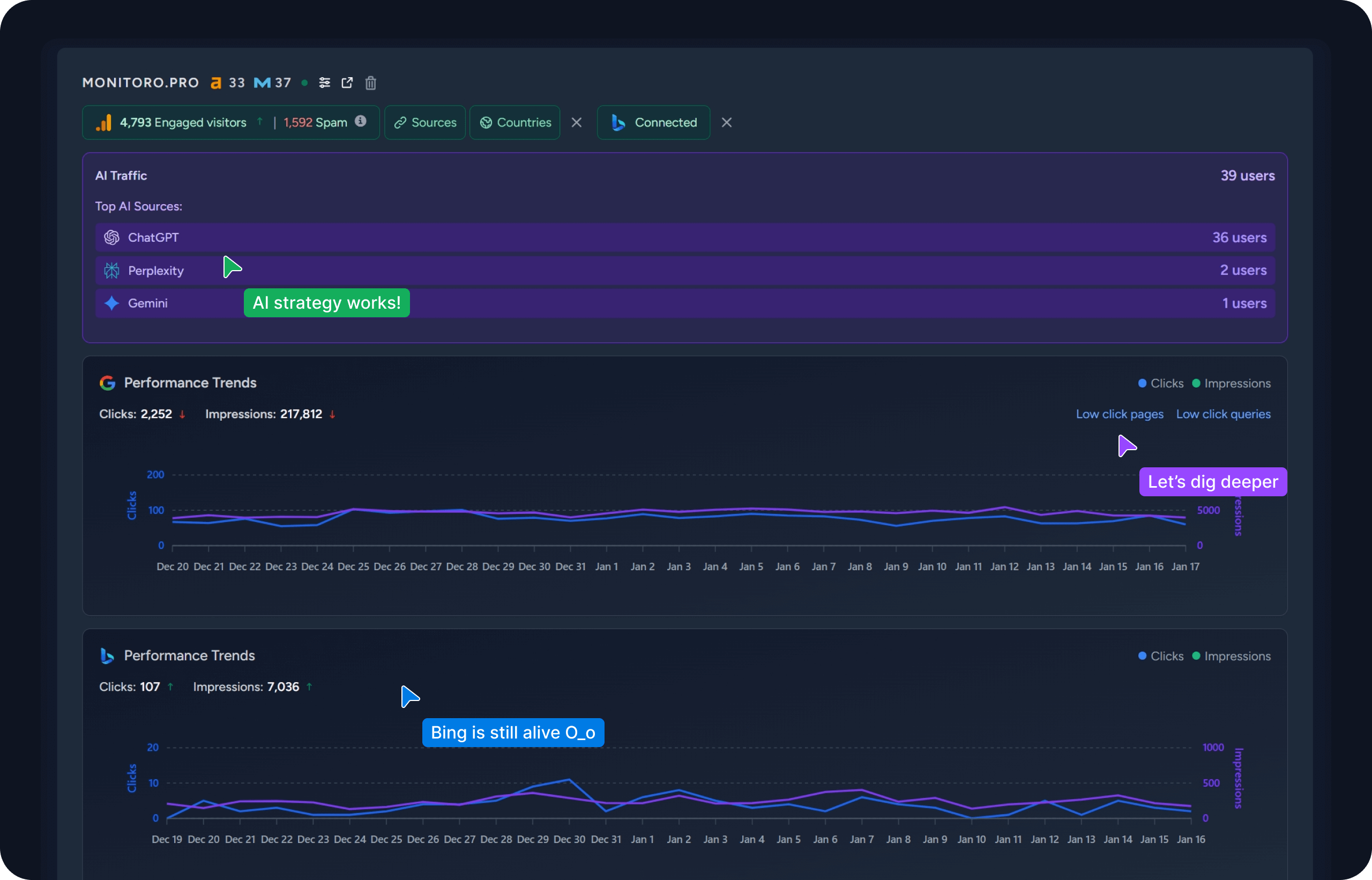
Beyond backlinks, monitor your complete SEO performance including traffic from AI search engines, Google, and Bing. Track keyword rankings, generate reports, and discover growth opportunities.
Analyze your website's backlink profile for free. Discover referring domains, total backlinks, and valuable EDU & GOV links to boost your SEO.
No signup required • 100% Free • Instant results
Beyond backlinks, monitor your complete SEO performance including traffic from AI search engines, Google, and Bing. Track keyword rankings, generate reports, and discover growth opportunities.
Backlinks (also known as "inbound links" or "incoming links") are links from one website to a page on another website. Google and other major search engines consider backlinks "votes" for a specific page. Pages with a high number of backlinks tend to have high organic search engine rankings.
Not all backlinks are created equal. Links from authoritative, trusted websites (like those ending in .edu or .gov) are generally more valuable than links from low-quality or spammy sites.
Monitoring your backlink profile helps you understand your site's authority and identify opportunities to acquire more high-quality links.
Backlinks remain one of the most important ranking factors for Google. Here's why you should care about them.
Backlinks are essentially votes of confidence from other websites. Search engines use these votes to determine if your content is valuable and worth ranking.
Search engine bots find new content by following links from already-known pages. Backlinks help your content get discovered and indexed faster.
Good backlinks come from high-traffic, relevant websites. People clicking these links will bring targeted referral traffic to your site.
Building a strong backlink profile takes time and effort. Here are some proven strategies to get started:
Produce high-quality, unique content that others will want to reference. Original research, data studies, and comprehensive guides work best.
Share your stories and data with journalists and bloggers in your industry. If they cover your story, they'll often link back to your site.
Write articles for other websites in your niche. Most will allow you to include a link back to your site in your author bio or within the content.
Find broken links on other websites that are relevant to your content. Reach out to the webmaster and suggest your link as a replacement.
There is no specific number. Quality matters far more than quantity. One backlink from a high authority site (like a major news outlet or university) can be worth more than thousands of low quality links. Focus on earning links from trusted sources in your industry.
Referring domains are the unique websites that link to your site. If one website links to you 100 times, that counts as 1 referring domain and 100 backlinks. Increasing the number of high-quality referring domains is often more important than just increasing total backlinks.
Links from .edu (educational institutions) and .gov (government entities) domains are highly coveted because these sites have high authority and trust. Search engines view them as very credible sources, so a link from one carries significant weight.
Yes, "toxic" backlinks from spammy, irrelevant, or low-quality sites can potentially harm your rankings. It's important to monitor your profile and disavow toxic links if necessary, though Google is generally good at ignoring them automatically.
 Sign Up Free